
Can I limit zooming in and out of the canvas?
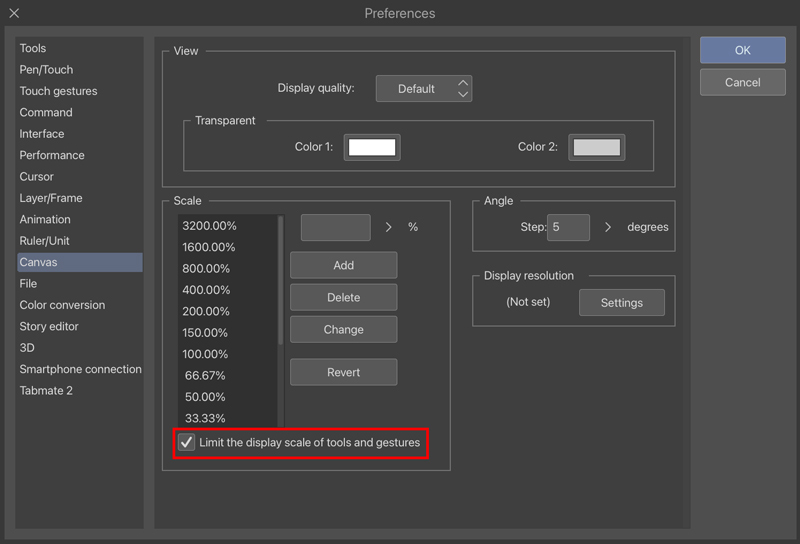
You can set this from Preferences > Canvas > Scale.
Directions
1. Open Preferences.
2. From Canvas > Scale, set the upper and lower limit and tap OK.
Examples:
To not zoom in more than 100%: Remove any values over 100.00%.
To not zoom out less than 50%: Remove any values lower than 50.00%.
Check the Limit the display scale of tools and gestures checkbox.
This feature is limited to Ver. 5.1 or later.
Please update to Ver. 5.1. or later.
Check out which license is needed to use this app version here.
3. The canvas will only display within the specified magnifications.